Creator tool · Synthesia
How to Dub and Localize a Video
You Already Made the Video. Don’t Start Over for Every Language.
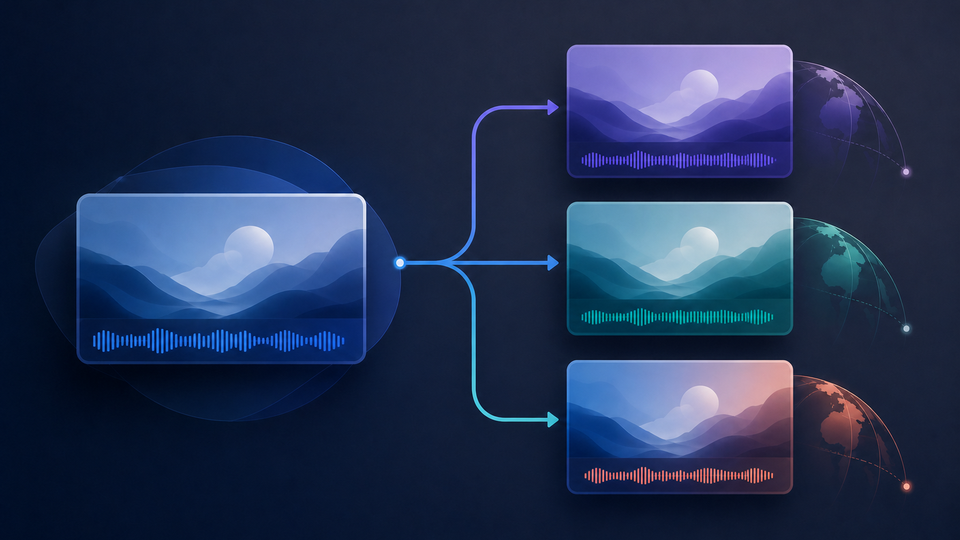
AI video dubbing adapts the spoken content of a finished video for audiences who speak other languages, so you do not have to remake the entire production. Start with a video you already trust, then review the translated speech, names, timing, and on-screen text before publishing each version.
Sources checked:How do I dub a video?Video TranslationAI Dubbing: Content Best Practices
The hardest part was making the video once. Another language should not mean starting from zero.
Continue with Synthesia · We may earn a commission.
Read our affiliate disclosure.
Opens in a new tab.Should You Dub This Video Into Another Language?
This could be the missing piece when
- The video already works for one audience: The message, edit, speakers, and timing are ready, but another audience needs a version in its language.
- Another shoot would reopen the whole production: Rebooking speakers, recording, editing, and approvals would turn one adaptation into another full production.
- The audience needs to listen, not just read: Spoken localization can let viewers follow the message while keeping their attention on the video.
Keep it simple when
- You only need a separate voiceover: Use the free text-to-speech generator when the project ends with a standalone MP3 or WAV file.
- Subtitles already meet the need: Do not rebuild the spoken track when accurate written translation serves the audience well.
- The language has no final reviewer: A fluent reviewer should be able to check meaning, names, pronunciation, tone, and timing before publication.


Choose the Smallest Change That Reaches the Audience
Not every language project needs full video dubbing. Choose the simplest method that gives the audience the experience they need without creating unnecessary production work.
| Method | What changes | Choose it when | Check before publishing |
|---|---|---|---|
| Subtitles | Timed written translation | Viewers can read the target language while the original speech remains | Meaning, timing, line breaks, and visual collisions |
| TTS narration file | A separate target-language audio file | You need narration without rebuilding an existing video timeline | Pronunciation, pacing, and final audio |
| AI video dubbing | Spoken content inside a finished video | The audience should hear the message in another language | Translation, speakers, timing, and on-screen text |
| Synthesia project translation | The script and editable on-screen text in a Synthesia project | The editable source project already exists in Synthesia | Translation, voice, layout, and final export |
Give Dubbing a Finished Video, Not a Moving Target
Finalize the message, edit, speaker order, and timing before creating language versions. Every source change made afterward can multiply across the translations already in progress. Clear source speech and a stable final cut give every language version a stronger starting point.
Teach Every Language Version the Names That Matter
Brand names should not become the moment the audience realizes the video was translated. Before creating the first version, list people, products, places, abbreviations, measurements, and specialized terms. Record how each should be written, pronounced, translated, or left unchanged.
The Voice Can Change Languages. The Pixels Cannot.
Existing-video dubbing changes spoken audio, not words already embedded in the picture. Review titles, lower thirds, product interfaces, charts, signs, burned-in captions, prices, and calls to action separately. Otherwise, the audience may hear one language while the screen continues speaking another.
A Dub Can Sound Smooth and Still Say the Wrong Thing
Check meaning before judging polish. Review names, numbers, negatives, instructions, product claims, and important qualifications against the source. Then listen for pronunciation, pacing, tone, speaker consistency, and whether each sentence fits the scene. Optional lip sync can help visual alignment, but it cannot confirm that the message is correct.
A New Audience Shouldn’t Feel Like an Afterthought
Ask a fluent reviewer to watch the complete version as a real viewer would. Does the language sound natural? Does the tone fit the audience? Do the spoken words agree with the text on screen? Record feedback by scene or timecode so corrections are clear and easy to check.
One Video Becomes a Library Faster Than You Think
Label each version with its source revision, target language or locale, review status, and export revision. When the original video changes, you can quickly identify which language versions need attention instead of discovering an outdated translation after publication.
What Synthesia Adds After the Video Is Ready
Synthesia provides an external workflow for dubbing supported existing videos into additional languages. Current workflows include source-transcript review, timing options, and optional lip sync. For supported dubbing workflows, Synthesia says the dubbed version can use a cloned version of the original speaker’s voice. On-screen text remains a separate localization task, and current feature, file, language, and plan availability should be checked before starting.
Synthesia also offers a separate AI avatar workflow for creating presenter-led videos from a script. That workflow is distinct from the existing-video dubbing path covered in this guide.
Turn What You Have Into What Comes Next
Start with a video that is ready to travel
Finalize the source edit and make sure the video is ready to be adapted and published.
Choose the smallest localization path
Decide whether the audience needs subtitles, a separate TTS narration file, or a fully dubbed video.
Protect the names that matter
Prepare the transcript and record preferred translations and pronunciations for important terms.
Find every word still trapped in the picture
List titles, labels, graphics, demonstrations, burned-in captions, and calls to action that need separate editing.
Create and review the spoken version
Check translation, pronunciation, voice consistency, timing, tone, and any lip-sync result against the source.
Finish and label each language version
Update on-screen text, review the complete video, export it, and record which source revision it represents.
Continue with Synthesia · We may earn a commission.
Read our affiliate disclosure.
Opens in a new tab.Know What Can Change the Result
The Picture Keeps Its Original Text
Existing-video dubbing does not automatically translate text embedded in titles, graphics, interfaces, burned-in captions, or footage.
Fluent Review Still Matters
Automated output can miss context, names, terminology, tone, and cultural meaning.
The Source Must Be Yours to Adapt
Use video, voices, music, images, and other material you own or have permission to dub and publish.
Product Access Can Change
Supported languages, files, credits, editing controls, and other features can vary by workflow and plan.
Lip Sync Still Needs a Human Eye
It is an optional feature, not a guarantee that every mouth movement or edit will look right.
Uploading Moves the Video to a Separate Service
Uploading sends the source video to Synthesia for cloud processing, so it is no longer handled only within ttsgenerator.com’s browser-based workflow.
Final Recommendation
Separate service · Synthesia
Ready to Let the Same Video Speak to a New Audience?
If the source video is finished and a real audience is waiting in another language, explore Synthesia’s AI dubbing workflow. Start with one representative video and one target language, watch the complete result, then decide how far the story should travel.
Sources checked:How do I dub a video?Video TranslationAI Dubbing: Content Best Practices
Continue with Synthesia · We may earn a commission.
Read our affiliate disclosure.
Opens in a new tab.Frequently Asked Questions
What is the difference between AI video dubbing and text to speech?
Text to speech creates a separate audio file from written text. AI video dubbing adapts the spoken content inside an existing video and must also account for translation, speakers, timing, visuals, and the complete viewing experience.
Does Synthesia AI dubbing translate on-screen text?
No. Existing-video dubbing changes spoken audio but does not automatically translate text embedded in titles, graphics, interfaces, signs, footage, or burned-in captions. Update those visual elements separately.
Which languages and video files does Synthesia AI dubbing support?
Synthesia supports multiple languages and common video formats. Current product information lists MP4, MOV, and WebM, but supported languages, file limits, and workflow availability can change. Confirm the current options before uploading an important project.
Does Synthesia AI dubbing include lip sync?
Synthesia offers optional lip sync in supported workflows and plans. It can adjust visible mouth movements to the translated audio, but the completed result still needs visual review.
Can I dub a video I created or have permission to use?
Yes. Use a source video and its voices, music, images, and other elements that you own or are authorized to adapt and publish.
Who should review a dubbed video before publishing?
Use a fluent target-language reviewer who understands the subject, important names, preferred terminology, tone, and intended audience. The reviewer should also check timing and on-screen text in the complete video.
Sources for This Guide
These official provider sources were reviewed when preparing this guide. Source titles are provided for reference.
- How do I dub a video? — Synthesia Help Center
Covers: Synthesia documents file-upload dubbing with target-language selection, transcript review, timing controls, and optional lip sync, while text embedded in the source video is handled separately.
- Video Translation — Synthesia API Documentation
Covers: Synthesia documents native-project video translation as a workflow distinct from dubbing an existing video.
- AI Dubbing: Content Best Practices — Synthesia Help Center
Covers: Synthesia states that users remain responsible for the rights and permissions needed for uploaded dubbing content.
Need the Voiceover First? Start There.
If the project only needs narration—not a dubbed video—create or revise the voiceover with ttsgenerator.com and download it as MP3 or WAV.
Create or Revise Narration